
Description
When Do Not Discover is enabled, a client will not appear in cross-agency searches. This feature is intended to protect clients whose safety, privacy, or circumstances require additional protection from discovery by other agencies.
Common Use Cases
- Domestic violence situations
- Human trafficking concerns
- Sensitive safety situations
- Other circumstances where broader client discovery creates risk.
Available to: Agency Admins, Agency Staff
Navigation
Click Clients in the left navigation menu, then select Find Client. Search for the client and open their profile by clicking the client's name in the search results.
Enabling Do Not Discover
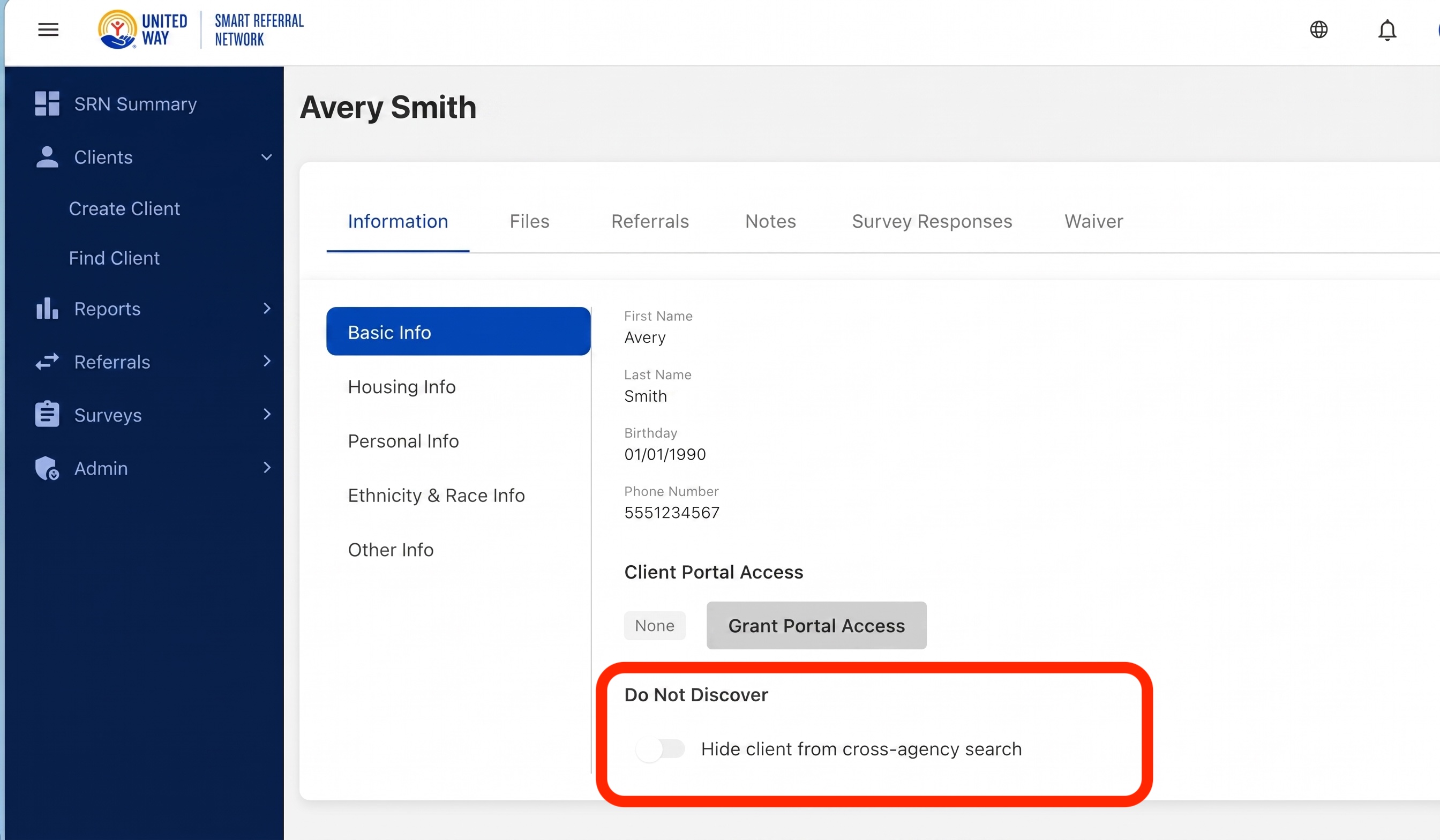
- Navigate to Find Client.
- Search for and open the client record.
- Select Edit Profile.
- Locate the Do Not Discover setting.
- Enable the setting.
What Happens When Enabled?
- The client will not appear in cross-agency client searches.
- The public chatbot will not return the client when checking for existing referrals.
- The system records who enabled the setting and when it was enabled.
- Existing referrals and authorized agency access are not automatically removed.
Removing Do Not Discover
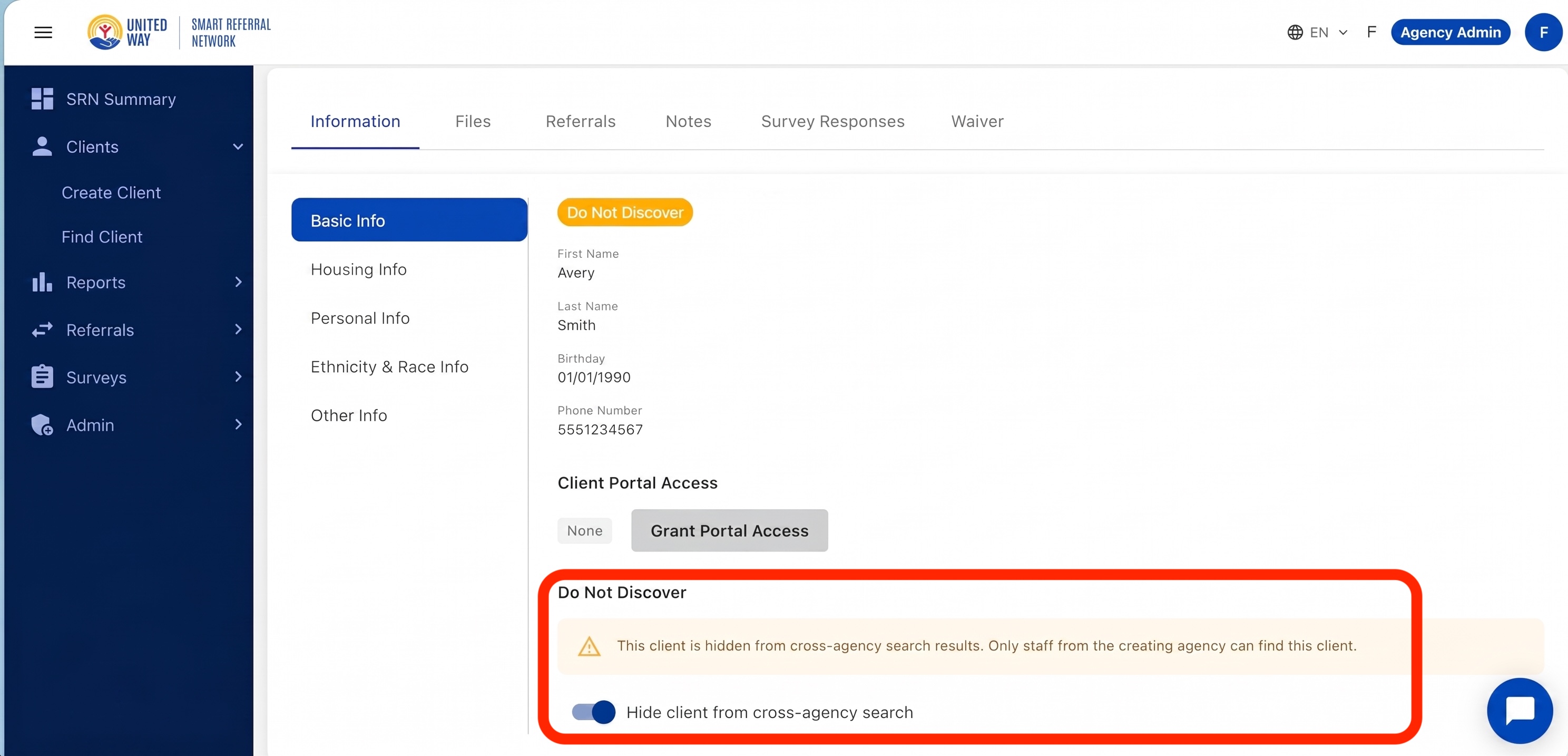
- Open the client profile.
- Select Edit Profile.
- Disable the Do Not Discover setting.
- Save Changes.
- Confirm the setting has been removed.
Best Practices
- Only use Do Not Discover when a legitimate privacy or safety concern exists.
- Verify the correct client record before enabling the setting.
- Document the reason according to your agency's policies.
- Explain the impact to the client when appropriate.
- Remember that Do Not Discover limits discovery but does not delete, anonymize, or revoke consent for the client record.