
Description
The Revoke Consent feature allows a client to withdraw consent for participation in the Smart Referral Network (SRN). Consent may be revoked directly by the client through the Client Portal or by an authorized SRN user on the client's behalf.
When consent is revoked, the client record is no longer available for agencies to search or access within SRN. Because consent is managed globally, revocation applies across all participating agencies and counties.
Revoking consent in SRN is global. When a client revokes consent, the revocation applies across all agencies and counties using SRN. No agency can search for or access the client record while consent is revoked.
Available to: Agency Admins, Agency Staff, Clients (through the Client Portal)
How clients can revoke or reactivate their consent
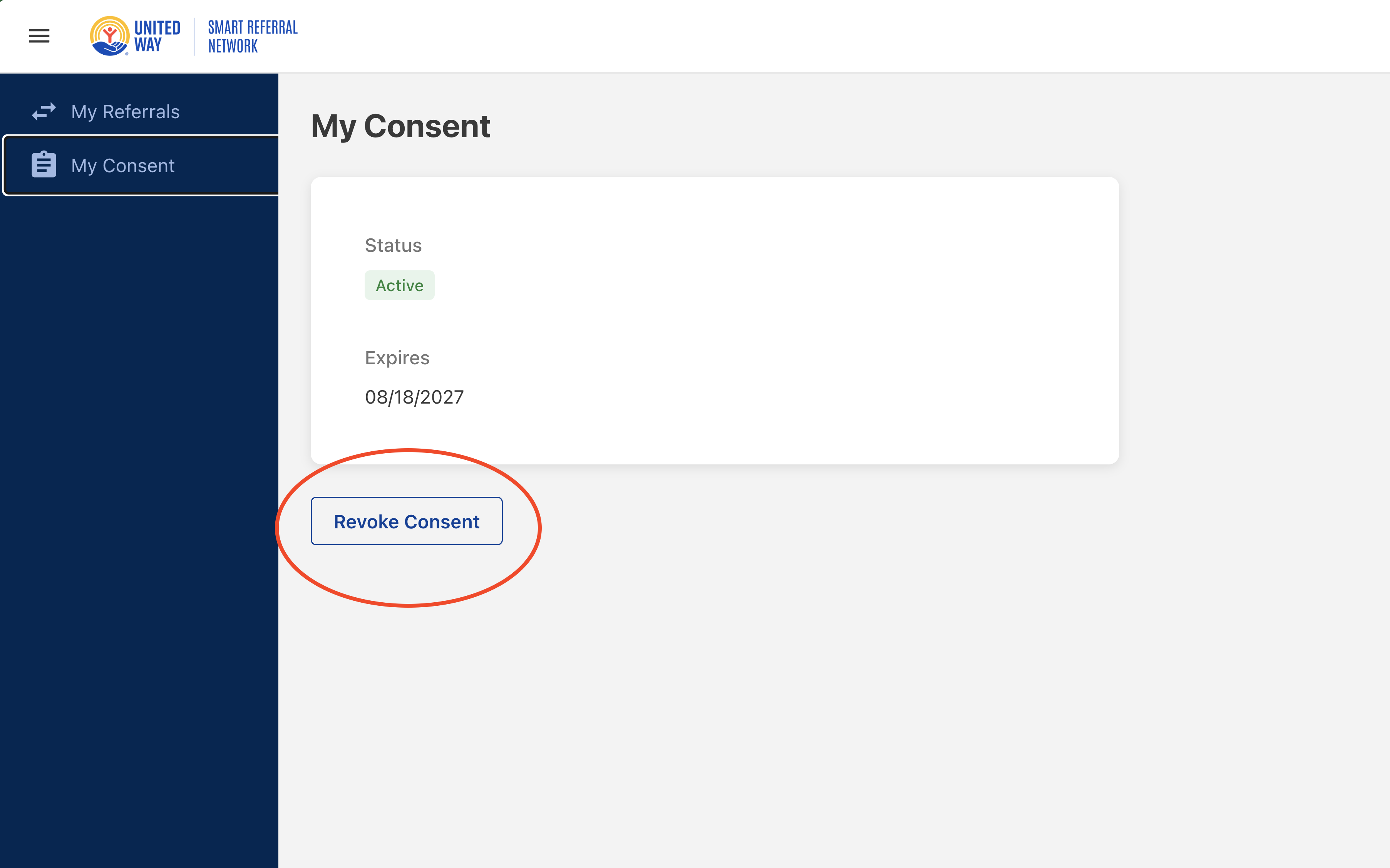
Navigation
Clients can revoke consent from the Client Portal:
On the left navigation, click My Consent.
Revoking Consent
- Sign in to the Client Portal.
- Select My Consent from the left navigation menu.
- Click Revoke Consent.
- The client is automatically signed out of the portal.
- The client record is no longer searchable by Agency Staff or Agency Admins.
Reactivating Consent
- The client may sign back in during the cooling-off period.
- The following message appears:
- "Consent revocation is pending. You may only undo your revocation during the cooling period."
- A Reactivate Consent button is displayed.
- Allows the client to cancel a pending consent revocation during the cooling-off period, restoring their consent, so the client's record remains searchable and accessible within SRN.
How SRN users can revoke a client’s consent
SRN users may revoke consent on behalf of a client when requested by the client or when required by agency procedures.
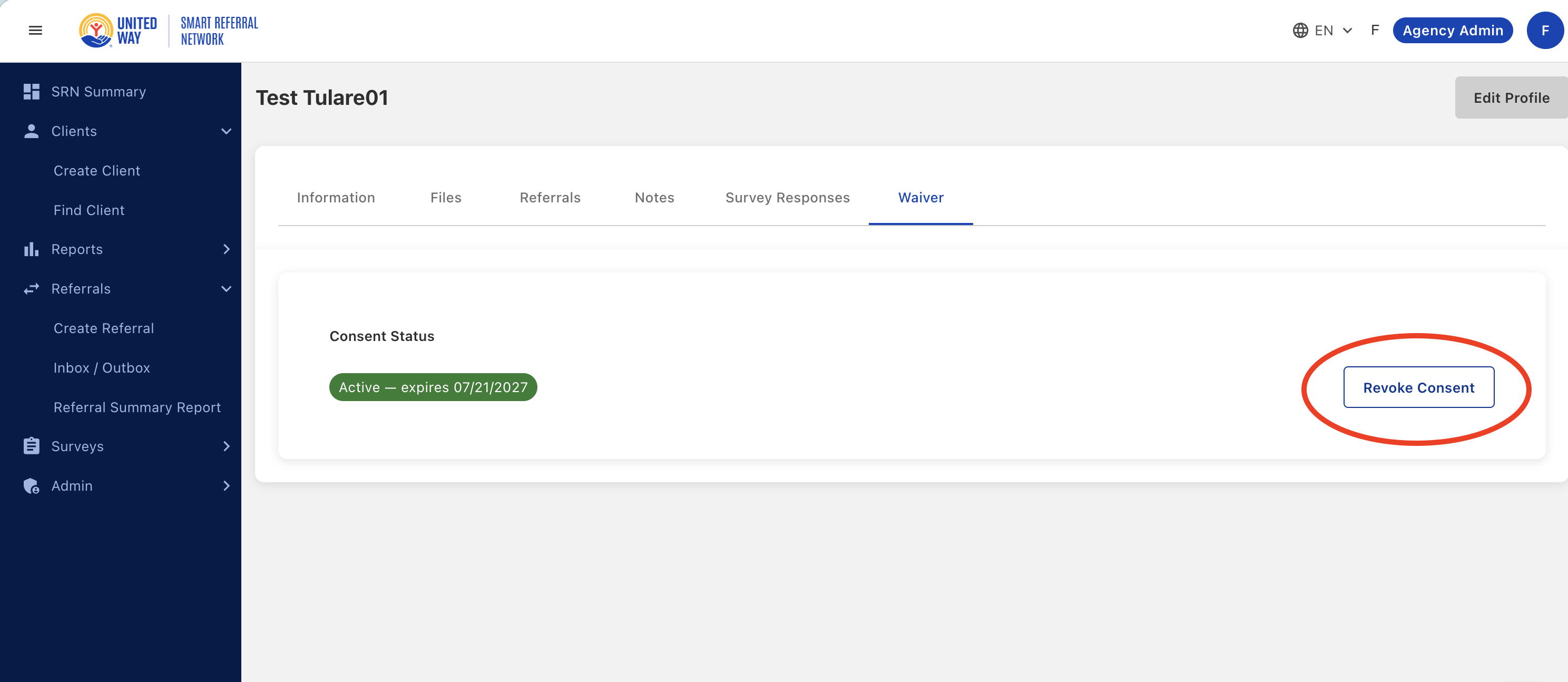
Navigation
Find Client → Client Profile → Waiver Tab
Workflow
- Navigate to Find Client from the left sidebar.
- Enter the client's name in the Search Term field.
- Click Search.
- Select the client's record to open the client's profile.
- Click the Waiver tab from the profile navigation menu.
- Select Revoke Consent.
- Confirm that:
- The consent status changes to Pending — no consent captured yet.
- A green "Consent revoked successfully" notification appears.
Once the revocation is completed, the client's information is no longer available throughout the SRN network.
What happens to a client’s referrals after a consent is revoked
- Referrals will display [ANONYMIZED] as the name.
- Senders of referrals
- Referrals will show the status of Closed in their outbox.
- This agency will receive an email that the referral has been automatically closed because the client's consent has expired.
- Receivers of referrals
- Referrals will be removed from their inbox.
- This agency will receive an email that the referral has been automatically closed because the client's consent has expired.
- Referrals will still be counted in the Referral Summary Reports.
- Dashboards will still count these referrals in aggregate.
- CSV exports will display these referrals with the client's name and information as [ANONYMIZED].
Cooling-Off Period
For consents revoked by the client, SRN places the revocation in a pending state before it becomes permanent. The cooling period lasts 24 hours.
During this period:
- The client can choose Reactivate Consent.
- The Client Portal displays a revocation-pending notification.
- The client record remains available in client searches.
- Agencies can access the client's record while consent remains in the cooling-off period.
Global Revoke Consent Behavior
Revoking consent is managed across the entire SRN platform rather than by individual agencies.
When consent is revoked:
- The client becomes unavailable to all agencies.
- The client cannot be searched within SRN.
- The revocation applies across all counties and participating organizations.
Best Practices
- Verify that the client has requested consent revocation before completing a staff-initiated revocation.
- Explain that consent revocation removes the client's visibility throughout the entire SRN network.
- Encourage clients to review the impact on referrals and agency access before revoking consent.
- Confirm that the "Consent revoked successfully" message appears when revoking consent on behalf of a client.
- Contact an SRN Administrator if questions arise regarding consent status or portal access.
- After a consent has been completely revoked, the only way a client can return to the SRN is if a new profile is created.